One data catalog across every system your data crosses
Business definitions, owners and lineage on every table and report, across every platform you connect.
Trusted by data teams at




A guided 10-minute tour in your browser, no call to book. Your name and work email unlock the full tour.

Trusted by data teams at leading enterprises

01Why Dawiso
Why data teams pick Dawiso as their catalog
When your data crosses multiple platforms, each with its own catalog, a number on a report passes through all of them on its way from the source.
-
One catalog across the platforms you already run
The catalog built into your data platform stays where your engineers work. Dawiso reads it along with your BI tools and pipelines, and draws lineage from source to report.
- Bertel O. Steen: one lineage view across two data platforms
-
Owned by the business, readable by everyone
Anyone can propose a term. Its owner or steward approves it, and lineage opens simple for a business user and goes to column level for an engineer.
- 24,000+ data users on Dawiso daily
- 300+ business terms in Norwegian and English at Bertel O. Steen
-
Live in weeks, with your existing work moved across
Existing glossaries and documentation are imported, Word files included, and content from your old catalog is migrated.
- 60 days at Bertel O. Steen, previous catalog migration included
- 78 days at P3 Parks
-
A price you can see, connectors unmetered
Every plan includes unlimited connectors, and the entry plan is published.
- From 445 EUR per month
- 681,000 governed objects at Seznam.cz



Native connectors include Microsoft Fabric, Power BI, Snowflake, Databricks, SAP HANA, Oracle, Tableau, Qlik, dbt, Apache Kafka and Amazon Redshift.
02Customer story
From open-source DataHub to a working catalog in 60 days
Bertel O. Steen, one of Norway's largest service and trading groups, ran its analytics on Databricks and Microsoft Fabric with a catalog built on open-source DataHub. Keeping that stack running was costing more than it returned. Dawiso migrated the existing work and had a production environment in place about 60 days from kick-off.
- 60 dayskick-off to fully operational
- 100,000+scanned objects in Databricks
- 18,000+scanned objects in Microsoft Fabric
- 300+business terms in Norwegian and English
The close dialogue with the Dawiso team is what made the pilot work: when our model didn't fit the tool, they adapted the tool to us.
Daniel Fallenius, Information Architect, Bertel O. Steen
Read the full case study
We have a clear overview of data flows. Before Dawiso, it was complicated to see where data comes from and have all sources documented in one place. Dawiso made this easy with comprehensive data lineage.
03The catalog
The core of a metadata catalog, in one place
From connecting your sources to governing access. Where a feature depends on the plan, it says so.
-
Connect
Automated metadata scanning
Scheduled scanners read databases, BI tools and pipelines and pick up new or changed assets on their own. Each source runs on its own schedule.
-
Find
Search across every asset
Full-text, semantic and attribute search across tables, columns, reports and terms. Synonyms and acronyms find the same term.
-
Understand
Business glossary
Terms with owners, approval workflows and version history, in more than one language. So "revenue" means the same in the Power BI report as in the finance definition.
-
Understand
Descriptions and links drafted for you
Where a description is missing, Dawiso drafts one, and glossary terms mentioned in a description are linked to their definition automatically. A steward reviews and approves the description.
-
Trust
Column-level lineage and impact analysis
Trace a Power BI column back to the source system and see which reports would be affected before you change a column.
-
Trust
Ownership and stewardship
Every asset carries its owner, steward, linked terms and full audit history.
-
Act
Classification and access requests
Tag sensitivity levels and attach access policies. Requests for data products go to Access Gate or to your Jira or ServiceNow desk.
Data products: included in Enterprise, on request in other plans.
-
Act
Open by API and MCP
REST API in every plan, so metadata can flow from Dawiso into your other systems. From the Corporate plan, the SQL API exports usage statistics and an MCP server serves AI assistants.
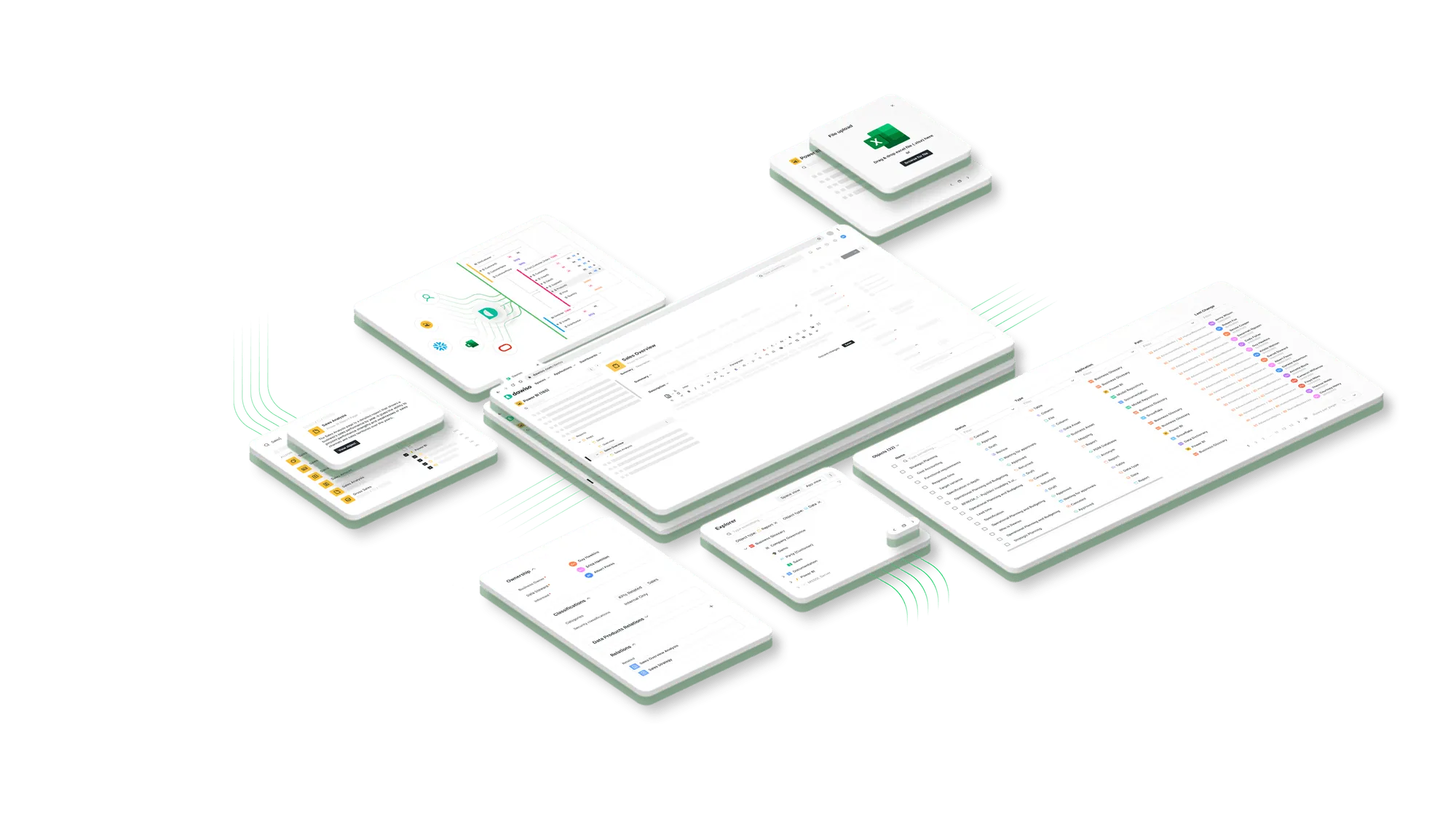
The catalog sits at the center of the Dawiso platform. Data products, access approvals and AI agents build on it.
See it in the product
Real product screens: the catalog, lineage, and search your analysts will use every day.
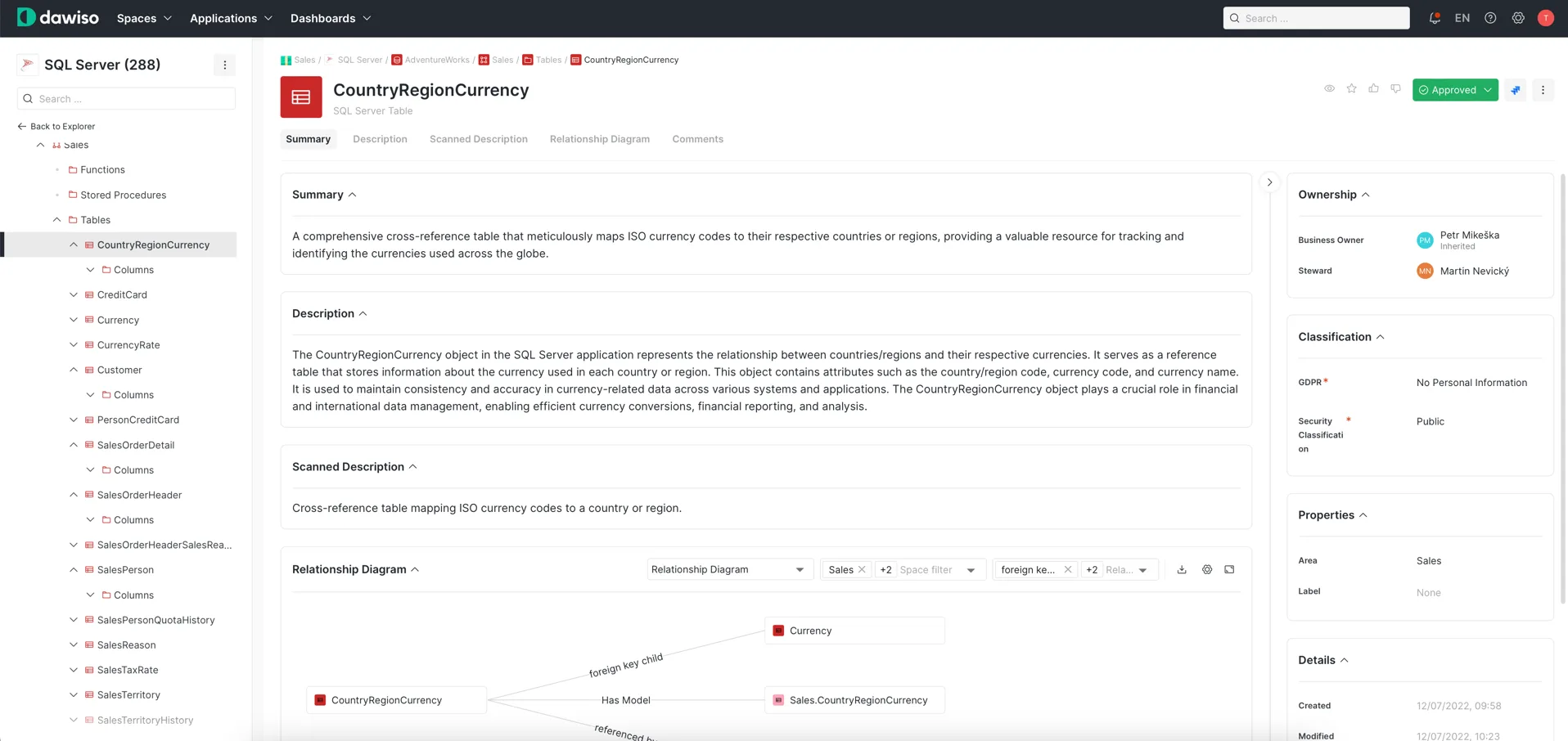
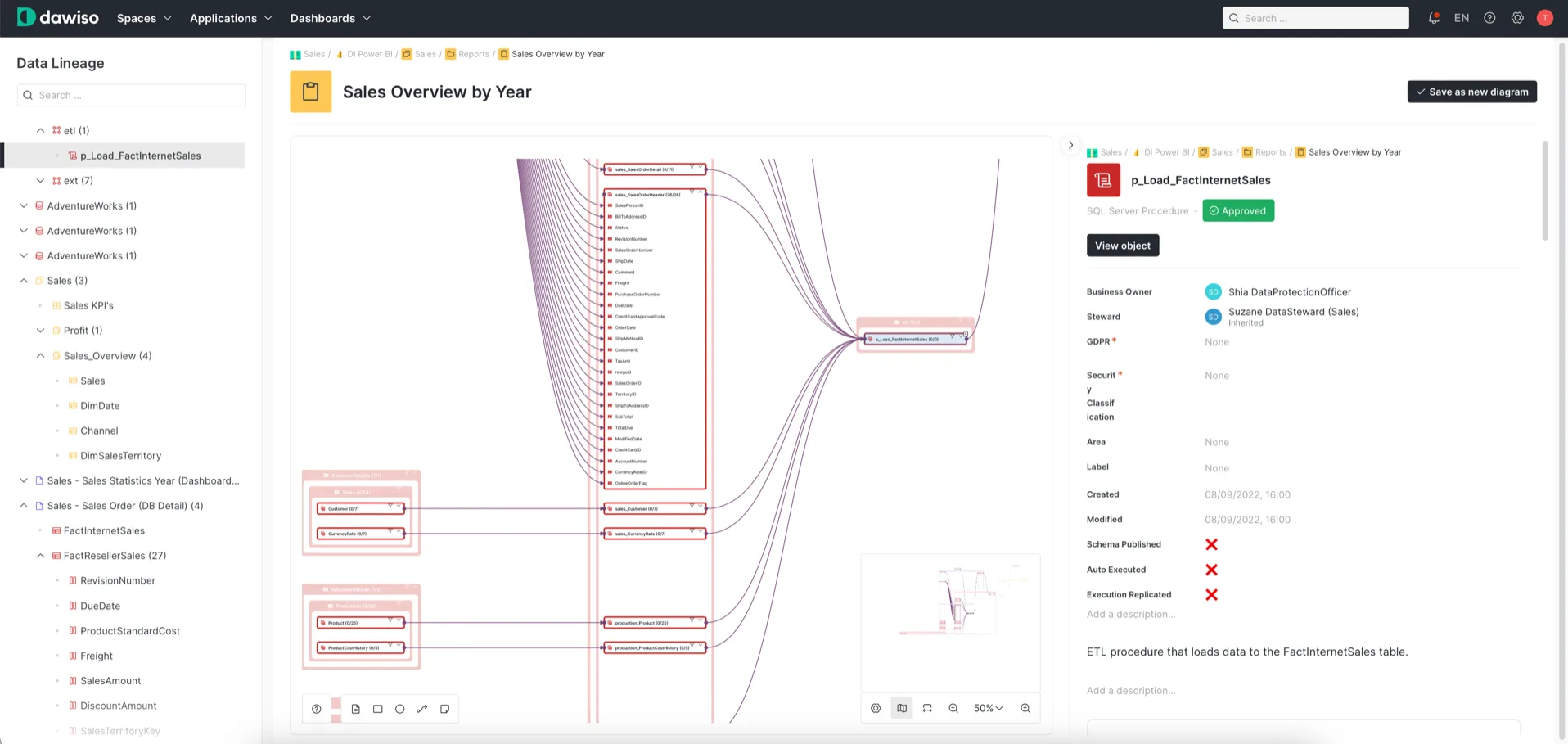
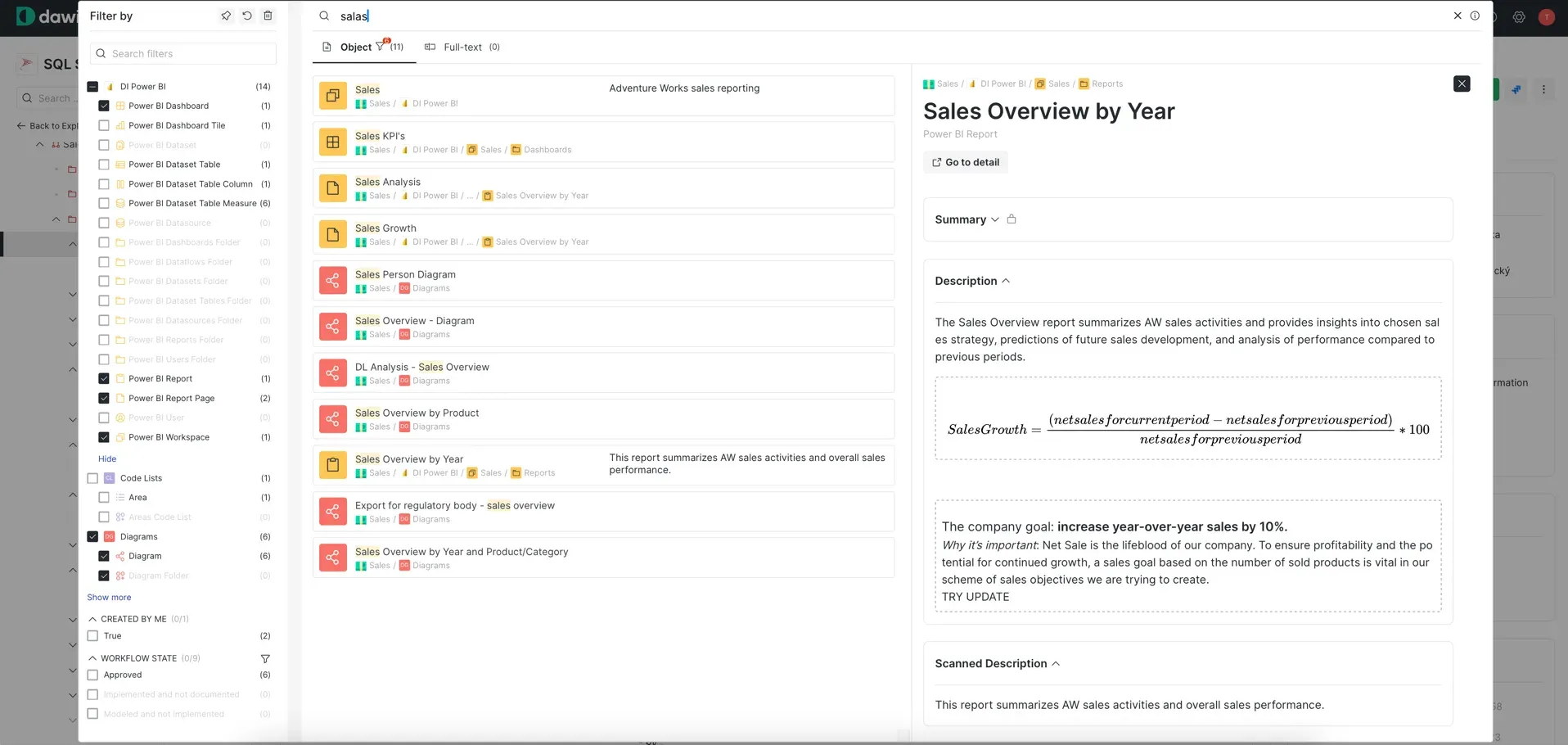
These screens are in the live demo, on preloaded data. Click through them yourself.
04Security and deployment
Deployment and security, with SSO, SOC 2 and ISO 27001
-
Managed cloud or your own environment
Dawiso runs as a managed cloud service and can be deployed into your own environment where that is required. On-premise deployment is part of the Enterprise plan. Scanners can also run on your own servers, so you review what leaves your network before anything is sent to Dawiso.
-
Single Sign-On
Single Sign-On ties Dawiso into your existing identity provider, so adding a user is a permissioning step rather than a provisioning one.
-
SOC 2 Type II and ISO 27001
Dawiso holds SOC 2 Type II and ISO 27001, and operates under GDPR.


05Pricing
What Dawiso costs
Pricing is per user, and the cost per user falls as the team grows. Connectors are not metered: every plan includes an unlimited number of them.
Standard
445 EURfrom, per month
5 contributor seats, 20 viewer seats
- Unlimited connectors
- All standard applications
- REST API
- Support on the Slack forum
Corporate
Quoted on your seat count
60 contributor seats, 240 viewer seats
- Everything in Standard
- SQL API and MCP server
- Dedicated account manager
Enterprise
Quoted on your seat count
From 260 contributor seats
- Everything in Corporate
- Test environment
- On-premise deployment
- Adjustable support contract and SLA
The full feature comparison is on the pricing page. Want to see what you would be paying for first? Take the 10-minute demo tour.
06FAQ
Quick answers
The questions data leads ask before they choose a catalog.
Does Dawiso replace our data platform or the catalog built into it?
No. Databricks, Snowflake or Fabric keep storing and serving your data, and their catalogs stay where engineers work inside each one. Dawiso reads metadata from each platform and from your BI tools, and keeps owners, classifications and business definitions that hold across all of them, with lineage from source to report. On Databricks, tags can be written back to the platform catalog if you choose.
How long does setup take?
Two rollouts are published with dates. Bertel O. Steen went from kick-off to a fully operational environment in about 60 days, including a migration of its existing catalog. P3 Parks reached full rollout in 78 days. Your own number depends on how many sources you connect and how much existing documentation moves across.
What does a rollout look like?
Four stages. Connectors read technical metadata out of the systems you nominate and generate lineage across them. A glossary, data products or ownership you already maintain are imported rather than retyped: Bertel O. Steen moved an entire open-source DataHub deployment this way without losing structure, ownership or lineage. Where the standard metamodel does not fit how you think about data, it gets extended, as Bertel O. Steen did with a Business Entity layer above business terms. Single Sign-On then opens it to the organization, which can be onboarded in waves.
What work is required from our team?
Dawiso does the connector setup and metadata scanning, the lineage generation, the import path for documentation you already have, metamodel extensions and the Single Sign-On wiring. From your side: read access to the sources you want catalogued, exports of any glossary or documentation you keep today, a decision on how your domains are structured, and people who can approve definitions and own assets, because a definition nobody owns is the thing that fails a year later.
How do business users take part?
They read and they own. A business user searches for a report, sees what a term means, and knows who to ask, without opening a modelling tool. Bertel O. Steen documented 300+ business terms in Norwegian and English side by side, so a reader gets the definition in their own language rather than a translation they make up on the spot.
What deployment and security options are available?
Dawiso runs as a managed cloud service and can be deployed into your own environment where that is required. Single Sign-On ties it into your existing identity provider, so adding a user is a permissioning step rather than a provisioning one. Dawiso holds SOC 2 Type II and ISO 27001, and operates under GDPR.
How does Dawiso handle data-quality context?
Dawiso does not run tests against your data. Testing and alerting stay with your pipeline or observability tooling. What Dawiso holds is the context around a dataset: what it means, who owns it, where it came from, and which reports break if it changes.
How does pricing work?
Pricing is per user, and the cost per user falls as the team grows. Connectors are not metered, so every plan includes an unlimited number of them. The Standard plan covers 5 contributor seats and 20 viewer seats and starts at 445 EUR per month, with the REST API included. Corporate covers 60 contributor seats and 240 viewer seats and adds the SQL API, the MCP server and a dedicated account manager. Enterprise starts at 260 contributor seats and adds a test environment, the option of on-premise deployment and an adjustable support contract with an SLA. Corporate and Enterprise are quoted on the seats you actually need, and the full feature comparison is on the pricing page.
Do I need to talk to sales to see the product?
No. The demo tour is a guided, 10-minute walkthrough of Dawiso on preloaded data that opens in your browser straight from this page. Partway through, it asks for your name and work email to unlock the rest.
Explore Dawiso in your browser
A guided 10-minute demo tour on preloaded data. No call to book.